Building Witness's Web UI Components
Info.
WITNESS is a NYC-based NGO that advocates rights for formerly incarcerated LGBTQIA+ community.
Info.
WITNESS is a NYC-based NGO that advocates rights for formerly incarcerated LGBTQIA+ community.
Role.
Launched 3 WebUI assets that refreshed outdated content and drove a 5% increase in site traffic
Role.
Launched 3 WebUI assets that refreshed outdated content and drove a 5% increase in site traffic
Tools.
Squarespace, Figma, HTML/CSS/JavaScript, Bootstrap
Tools.
Squarespace, Figma, HTML/CSS/JavaScript, Bootstrap
Info.
WITNESS is a NYC-based NGO that advocates rights for formerly incarcerated LGBTQIA+ community.
Info.
WITNESS is a NYC-based NGO that advocates rights for formerly incarcerated LGBTQIA+ community.
Role.
Launched 3 WebUI assets that refreshed outdated content and drove a 15% increase in site traffic
Role.
Launched 3 WebUI assets that refreshed outdated content and drove a 15% increase in site traffic
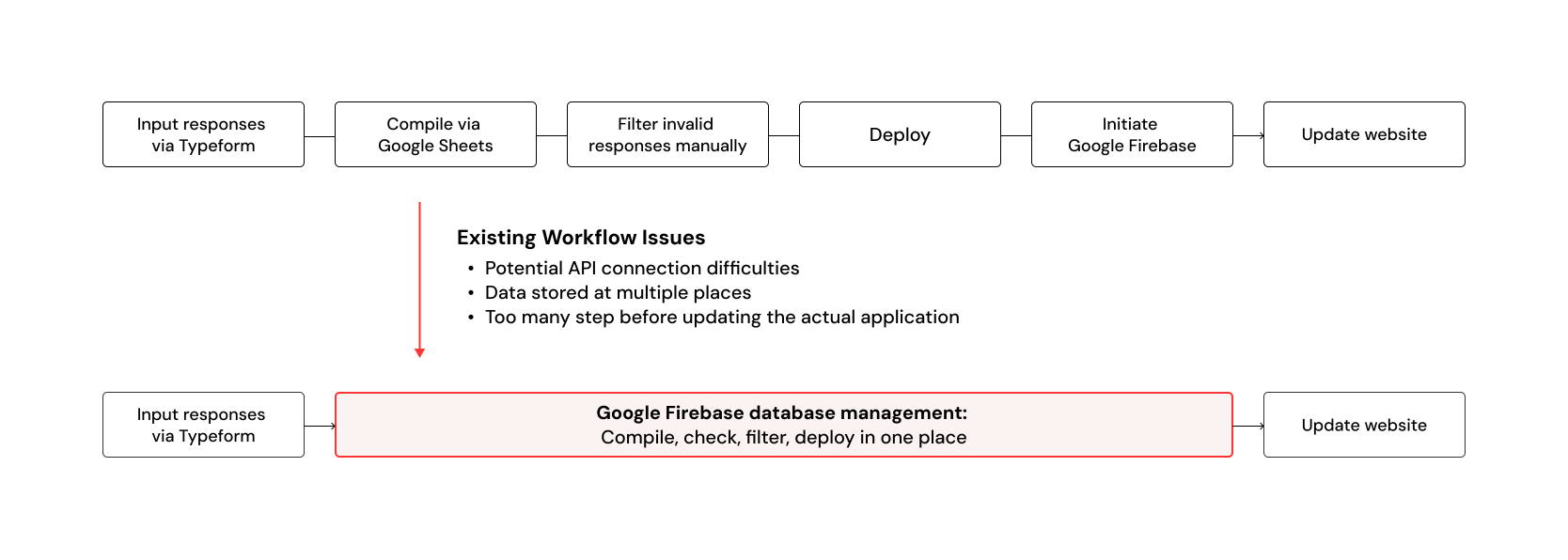
Revamping a nonprofit organization's website up to its new design system
Project overview & My role
Digitizing archives to modern website content that engages
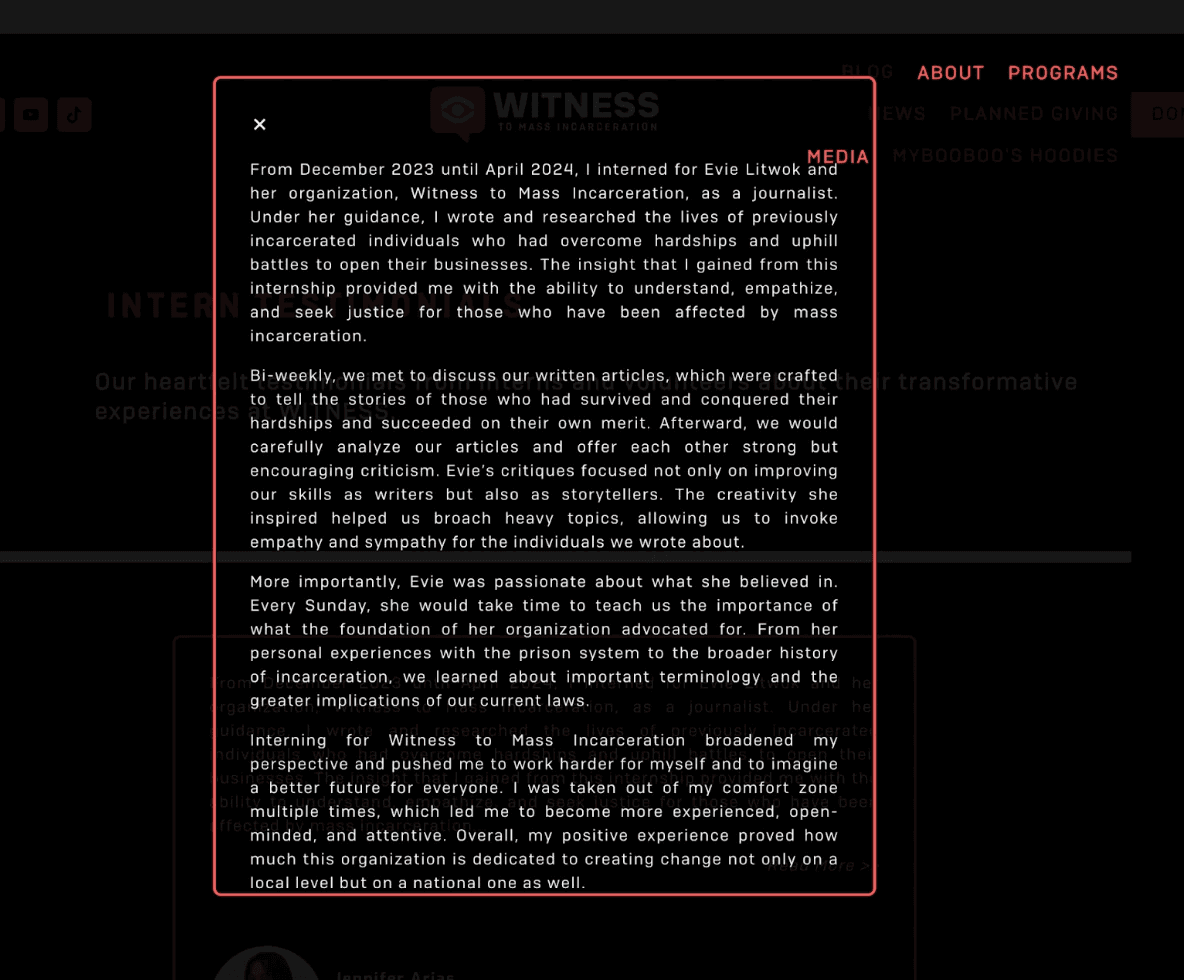
Witness is a nonprofit organization that provides assistance package and connects small businesses operated by formerly incarcerated group across the nation. The website is critical to their fundraising, business connection, and events hosting.
Since August, I worked closely with engineers and product manager to improve the mobile IoT experience for small businesses managing temperature sensor data.
During summer 2024, I worked as UX design intern across creative and marketing team to integrate past archives and update the site to its rebranded design system.
Redesigned 5+ analog artifacts (newsletter, flyer) to responsive web experiences
Shipped Figma hifi prototypes to live Squarespace pages via HTML/CSS/JavaScript
Developed and maintained a structured code documentation to streamline smooth handoffs across the creative team
During summer 2024, I worked as UX design intern across creative and marketing team to integrate past archives and update the site to its rebranded design system.
Redesigned 5+ analog artifacts (newsletter, flyer, etc) to responsive web experiences (pdf viewer, interactive cards)
Shipped Figma hifi prototypes to live Squarespace pages, increasing website traffic by 15%
Developed a structured code documentation to streamline smooth handoffs for current and future volunteers


Snippets of front-end testing
Tackling a key challenge
How might we turn static images to an engaging, modern-day web experience?
Constrains
Digitizing old archives with limited code flexibility
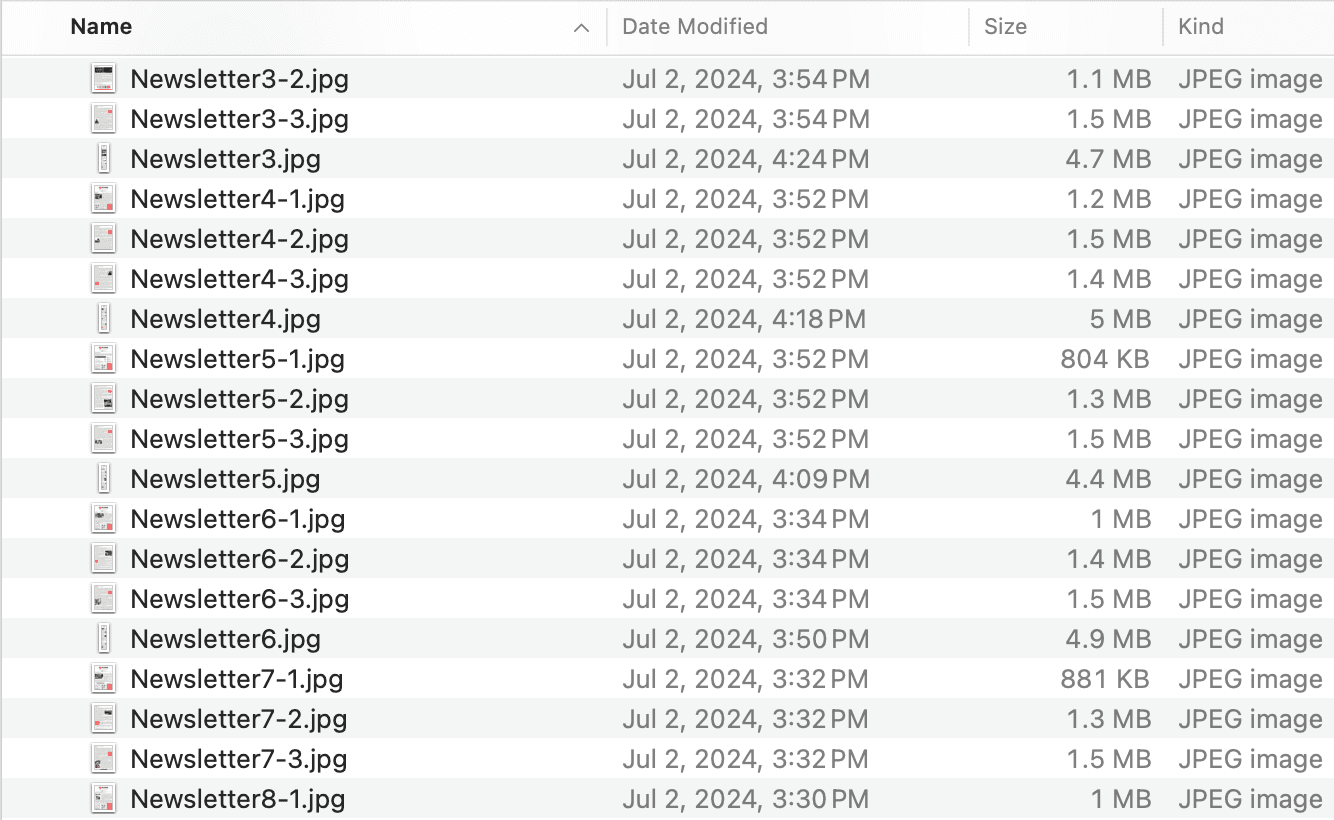
As part of the digitization efforts, the organization wanted to include its newsletter program on the new website. However, the newsletters were primarily distributed as images or email templates, making it both a design and technical challenge to incorporate.
It challenges the alert system to support multiple roles, time-sensitive decisions, and varying levels of urgency, all while being simple enough to satisfy the need to act fast.


Archived newsletter are stored as images.
My approach
1) Deciding between new pages and reusable web parts
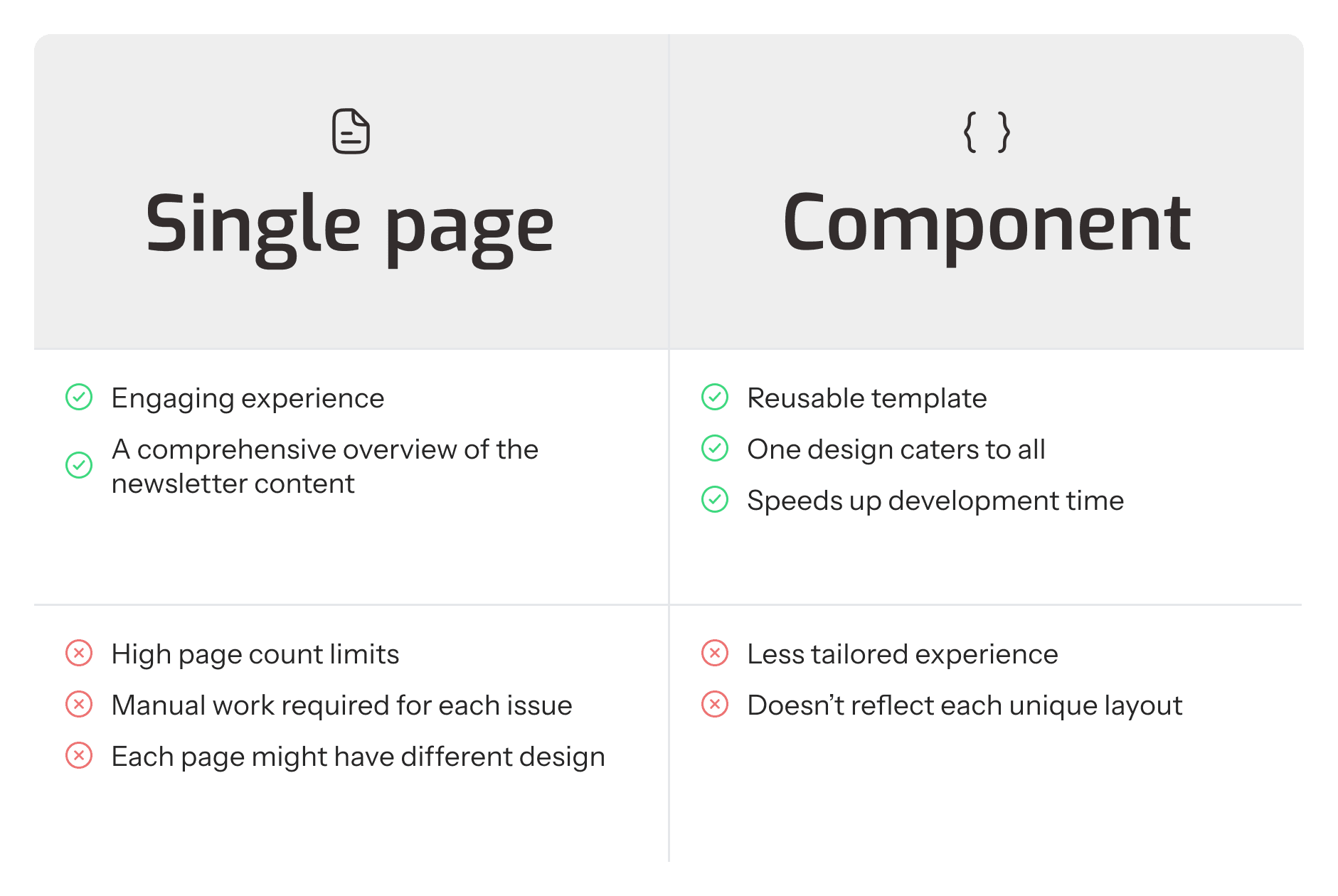
Due to Squarespace’s page limits and the efforts required to recreate each newsletter, building separate interactive pages wasn’t feasible. We consolidated all newsletters into a single page with a scrollable menu. This system allowed us to have all the content available for all and scale easily with new future updates.
It challenges the alert system to support multiple roles, time-sensitive decisions, and varying levels of urgency, all while being simple enough to satisfy the need to act fast.


2) Designing for readibility and scroll within code limits
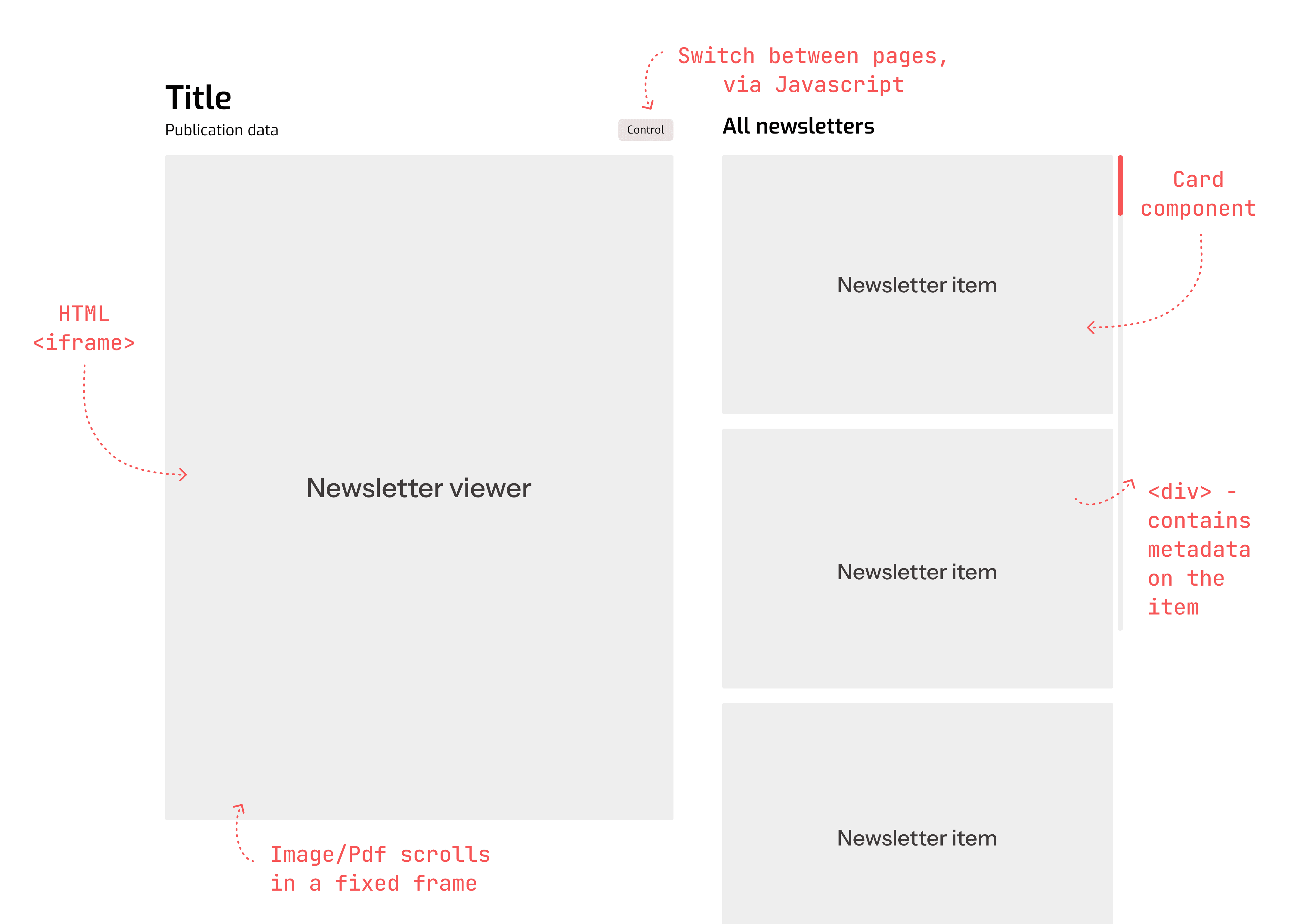
We wanted the layout to feel familiar, like browsing physical mail or a digital inbox. I designed a dual-column structure where one side served as a scrollable menu and the other as a viewer. Leveraging Squarespace’s custom code support for <iframe>, I was able to connect images to create a continuous, PDF-like reading experience.
It challenges the alert system to support multiple roles, time-sensitive decisions, and varying levels of urgency, all while being simple enough to satisfy the need to act fast.


Wireframe and dev breakdown
3) Structuring content for dynamic loading
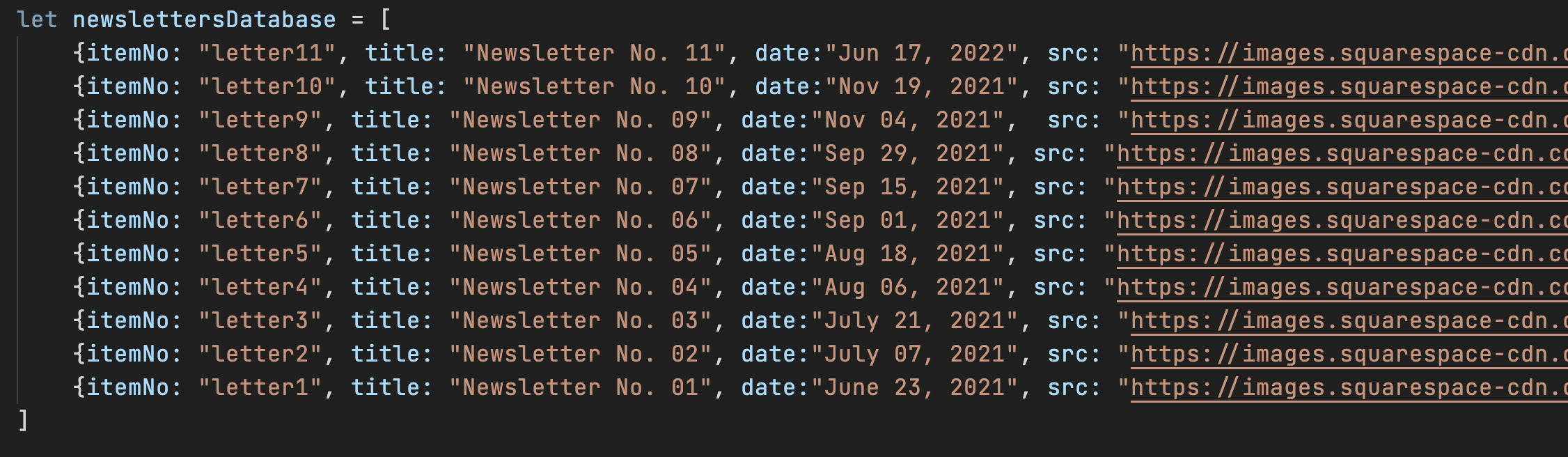
To avoid hardcoding each newsletter into the layout, I created a lightweight JavaScript “database” to manage content dynamically. Each newsletter image was uploaded as image assets. When user clicks on different newsletter, it ensures transition to the correct content. Moreover, this method allowed us to build within Squarespace’s code limits and made future updates easier by updating the database.
It challenges the alert system to support multiple roles, time-sensitive decisions, and varying levels of urgency, all while being simple enough to satisfy the need to act fast.


Mini database to call image assets
Glance at my contributions
Designing and developing custom webUI components
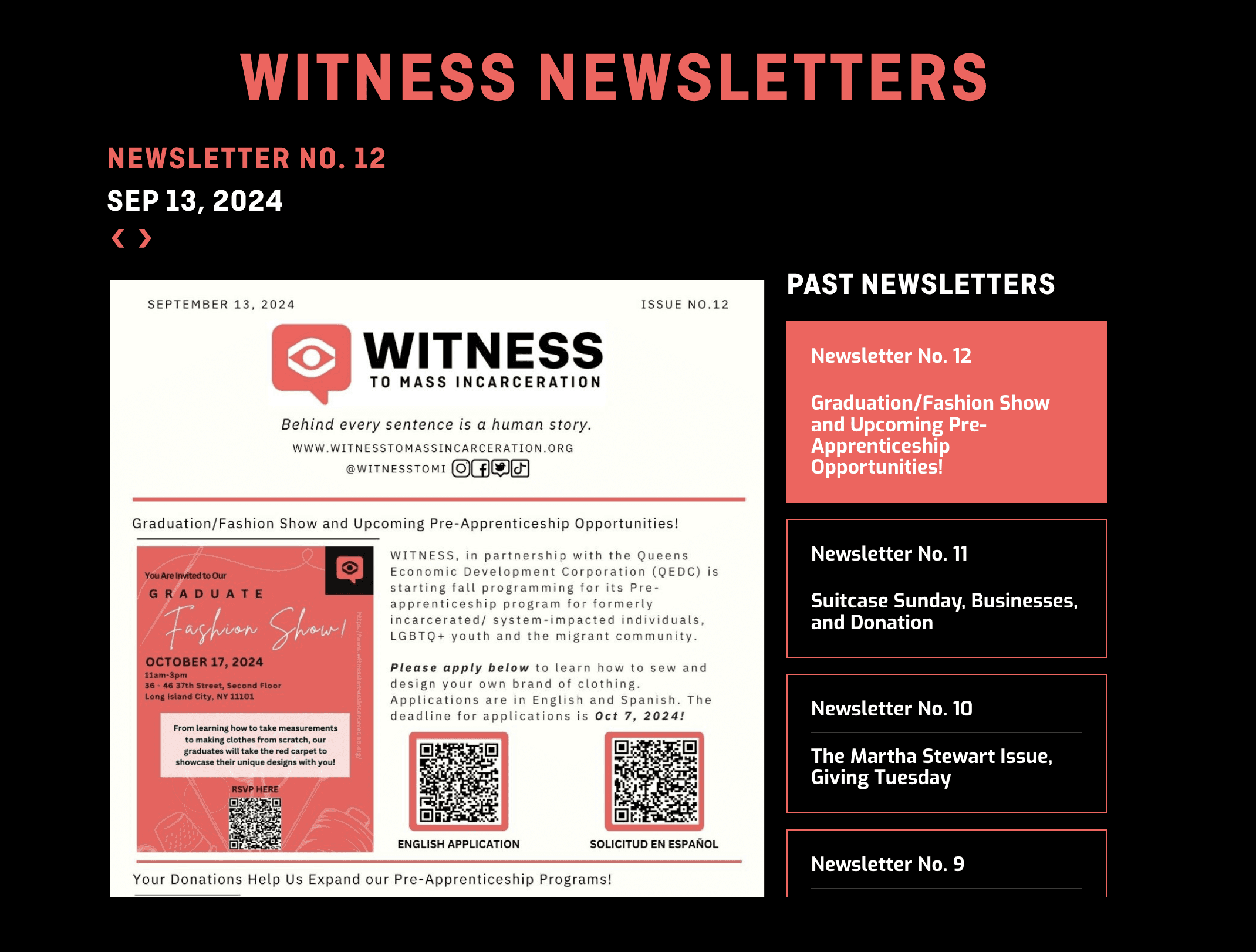
A Newsletter Viewer
A Newsletter Viewer
A Newsletter Viewer
A Newsletter Viewer
Feature 1 (Shipped)
An interactive archive that supports the marketing team update newsletter and keeping donors constantly informed
Feature 1 (Shipped)
An interactive archive that supports the marketing team update newsletter and keeping donors constantly informed
Feature 1 (Shipped)
An interactive archive that supports the marketing team update newsletter and keeping donors constantly informed
Feature 1 (Shipped)
An interactive archive that supports the marketing team update newsletter and keeping donors constantly informed


Interactive Testimonials
Feature 2 (Shipped)
A dynamic gallery that showcases authentic intern stories to inspire prospective interns and strengthen school–nonprofit partnerships
Feature 2 (Shipped)
A dynamic gallery that showcases authentic intern stories to inspire prospective interns and strengthen school–nonprofit partnerships
Feature 2 (Shipped)
A dynamic gallery that showcases authentic intern stories to inspire prospective interns and strengthen school–nonprofit partnerships
Feature 2 (Shipped)
A dynamic gallery that showcases authentic intern stories to inspire prospective interns and strengthen school–nonprofit partnerships
Map Update Optimization
Feature 3
An updated resource hub powered by a streamlined data pipeline, helping small business owners connect with local communities
Feature 3
An updated resource hub powered by a streamlined data pipeline, helping small business owners connect with local communities
Feature 3
An updated resource hub powered by a streamlined data pipeline, helping small business owners connect with local communities
Feature 3
An updated resource hub powered by a streamlined data pipeline, helping small business owners connect with local communities
The outcome
All features shipped & live on the website, increased traffic by 15%, improved donor engagement via fundraising
My Learnings
This project introduced me to the production side of the work where constraints and feasibility had been the center of my thinking. It was also my first time using Figma's dev mode and and reflecting design through an engineering lens.
#1 - Managing a design system with many stakeholders
When multiple people are managing one design system, having a well-organized documentation cuts down time spent on repetitive tasks.
#2 - Keeping a good documentation habit
Though writing clear comments takes extra time, it saves future developers and designers from confusion (including mine), making collaboration smoother and design components more usable.
#3 - Responsive design should be involved in early conversation

Once a component is good to go, having the responsive design ready side-by-side helps speed up production.
In a short span of time, the team has experimented and proposed many novel features such as live cursor, audio edits, and node-based component variations. Though controversial at first, these ideas have since proven viable with the evolution of LLM capabilities.
A Newsletter Viewer
Feature 1 (Shipped)
An all-in-one-place archive that enable the user to read through the most current newsletter and the organization to keep active documentation of all current and past works works with ease